I’ve experimented with machine learning on and off for many years, back in 2015 I wrote a fun tool for training a CloudForest-based model on loan peer to peer repayments data on a decentralised lending marketplace.

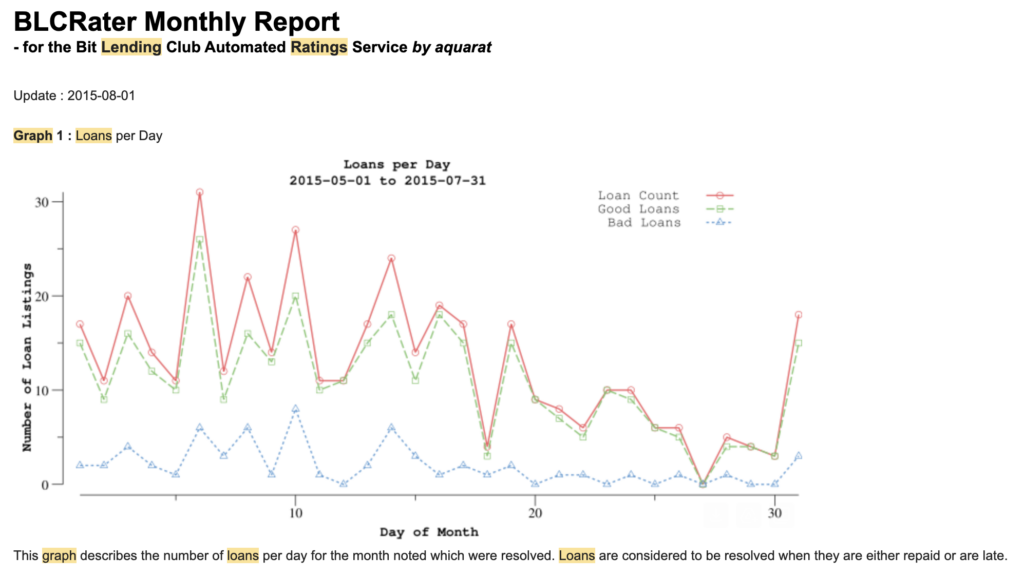
The system took in all kinds of data; mundane details like the age of the lender and more exotic details like the number of faces in their social media content. The result was mediocre, better than nothing, but a fun experiment.
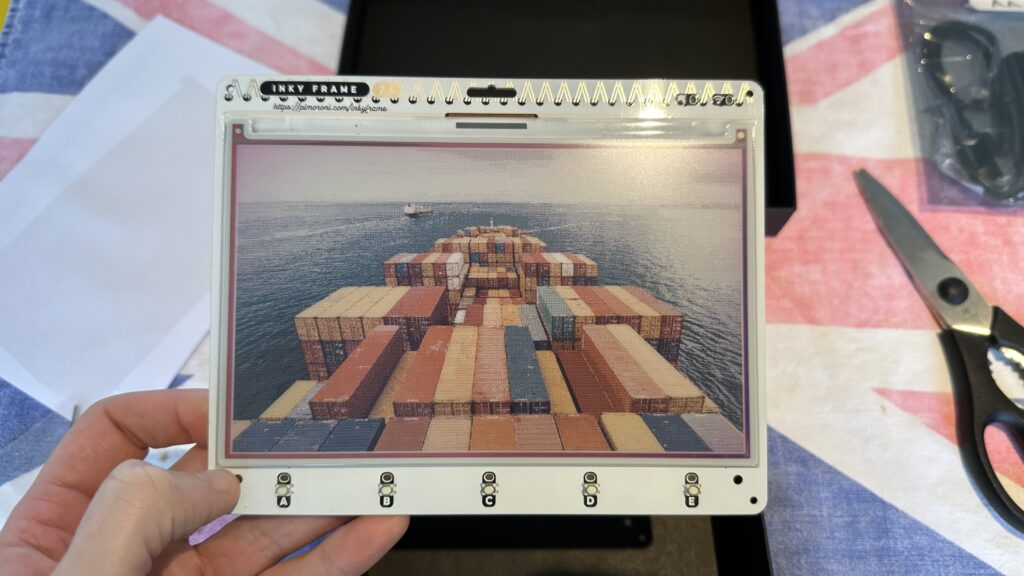
More recently I’ve had some fun with OpenAI services to generate ukiyo-e-like art for an ePaper display.
But up until a year ago I hadn’t really played with “chatbot-style” LLM-based “AI”.
My first major introduction to LLM AI was via my main IDE at the time (Jetbrains), which started offering it as a semi-replacement for a Google search to answer coding questions. This wasn’t really my thing, but what did catch my attention was inline autocomplete and suggestions. This probably improved my productivity by about 10%. I was surprised to learn that the Jetbrain auto-completions were using a tiny 500 million parameter model locally (tiny compared to most local models like Meta’s Llama 3.3 and Deepseek, which are at least 70 B parameters – commercial models are much larger, eg. 500B and up).
Of course my immediate next question was: “can I run this locally” and amazingly, yes, yes you can, but with some serious caveats.
Why would you want to run these models locally? Well, it’s fun, it’s an interesting infrastructure challenge, it’s private and it also give you freedom, which in turn poses a challenge to proprietary AI service operators. Operators like Anthropic (Claude/Haikku models), OpenAI (ChatGPT) and Google (Gemini) are largely operating a bait and switch. And so, when the switch part comes, it would be nice to have a fallback. You may wonder if OpenAI buying up large quantities of wafer and in turn causing RAM prices to hit the ceiling is an attempt to make it difficult for third-parties to operate private inferencing – but that’s another conversation.
And so begins the quest to run a decent smart friend locally.
When is your electric friend smart enough?
A decent ecosystem for running local LLMs now exists. This is surprising to me because they haven’t been in vogue that long. A good combination of software to run LLMs locally includes:
- Open WebUI: https://github.com/open-webui/open-webui
- This acts as the “chat”-style interface that lets you query an LLM via an API.
- It has features like context of previous chats, formatting, a personal knowledgebase, tools (eg. weather and search), etc.
- Ollama: https://github.com/ollama/ollama
- Ollama is a convenient LLM runner which leverages a llama.cpp/GGML underneath.
- It’s supposedly quite inefficient, but it is also highly convenient in that it can dynamically download and load models as needed.
- It has a number of restrictions, like it can’t deal with “split” GGUF model files.
- It currently does not support distributed inference.
- But there are attempts to make this happen: https://github.com/ollama/ollama/pull/10844
- It supports CPU inference, so it’ll run on your toaster… very slowly.
- Ollama, in recent times, has experienced some crises around open-ness and transparency.
- llama.cpp https://github.com/ggml-org/llama.cpp
- This is the library Ollama leverages. If you can stomach more complexity, you can get a lot of extra functionality if you go this route – the big one being distributed inferencing.
- llama.cpp can run a basic web interface for interacting with your models, which replaces tools like OpenWebUI.
- vLLM https://github.com/vllm-project/vllm
- More efficient
- Much more restrictive hardware support
- Far harder to use
- Supports distributed inference with lots of restrictions
- GPUStack https://github.com/gpustack/gpustack
- A comprehensive solution for running LLMs, a one-stop-shop
- Bulky, no dynamic loading
- Can run distributed inference in some scenarios
- Bleeding edge
These are some of the tools needed to run the models and then, in terms of the models themselves, there are a few sources:
- Ollama supported models, which are limited: https://ollama.com/library
- Works with… Ollama
- Fine-tuned models from Unsloth.AI: https://docs.unsloth.ai/get-started/all-our-models
- Needs more effort to run, but use dynamic quantisation so very efficient.
- HuggingFace generally: https://huggingface.co/
- Almost all models are available from HuggingFace, but they can be in a variety of formats that may require conversion for use. Downloading models from HF is generally a manual process.
And then there are the models themselves. Models tend to have an ideal needed VRAM quantity to work. I’ve divided them up into tiny (<16GB), medium (<64GB) and large.
- Qwen3
- Advanced, but also verbose
- Tiny and medium VRAM
- Phi-4 (Microsoft)
- A great all-rounder from Microsoft
- Tiny
- Lllama 4 (Meta)
- Generally considered to be mediocre and a regression in some ways compared to Llama 3.3
- Tiny, medium, large variants
- Considered to have been “benchmaxxed”, where the models are training on benchmarks to make them look better than they are
- Gemma 3 (Google)
- Another great all-rounder, supposed to fit on a single GPU, in practice benefits from multiple GPUs
- Tiny, medium variants
- Supports image recognition variants
- DeepSeek * (DeepSeek)
- An advanced reasoning model, it took the world by storm when it was released (it caused a market crash). It’s pretty amazing, but it’s slow. Both reasoning and non-reasoning variants are now available.
- Tiny, medium, large and HUGE (671b model)
- Kimi * (Moonshot Labs)
- I haven’t used these, some of their models are massive (1T parameters)
- Devstral/MiniMax (Mistral AI)
- Created by a French startup, these are probably the best non-Chinese models currently available. They score favourably and they run on modest hardware.
- GPT-OSS (OpenAI)
- This model is all-round fantastic. It is 120 B parameters, which means, with context, it needs about 128 GBs of RAM to run correctly, but it’s extremely good for a local open-weight model.
The Equipment
To run a model, you’ll need a lot of high speed RAM. RAM bandwidth is by far the most important determinant of speed run running these models.
For comparison, an Nvidia RTX 5090 GPU with 32 GBs of RAM has a RAM bandwidth of around 1.8 TB/sec. This is also a £ 1800 GPU, which means you’re looking at at least £ 10 000 to build a basic system capable of running GPT-OSS:120b. This setup produces around 250 tokens/sec of output (fast).
An AMD Strix Halo 395+ machine, which provides 128 GBs of unified system/GPU RAM costs around £ 2200, significantly cheaper. It, however, has a RAM bandwidth of 0.2 TB/sec. This setup produces around 50 tokens/second (usable, but you’ll “feel it” – and slow for agentic coding).
And finally, the Apple M3 Ultra can support up to 512GB of RAM. This configuration costs £ 9700, which makes it relatively cheap compared to Nvidia per GB, but a little more expensive than the AMD system. Apple recently started promoting these machines for LLM inferencing because they can use Thunderbolt for high speed direct-memory-access based sharing. Unlike other systems, inferencing can speed up when multiple machines are clustered. These machines have around 0.8 TB/sec of memory bandwidth. I can’t find benchmarks for this machine for gpt-oss:120b. These machines are also extremely power efficient.
For my first experiment, I decided to go for something second hand.
The host machine I chose was the Lenovo ThinkStation P920. This machine s a few years old now, but has lots of expansion options and a big power supply.
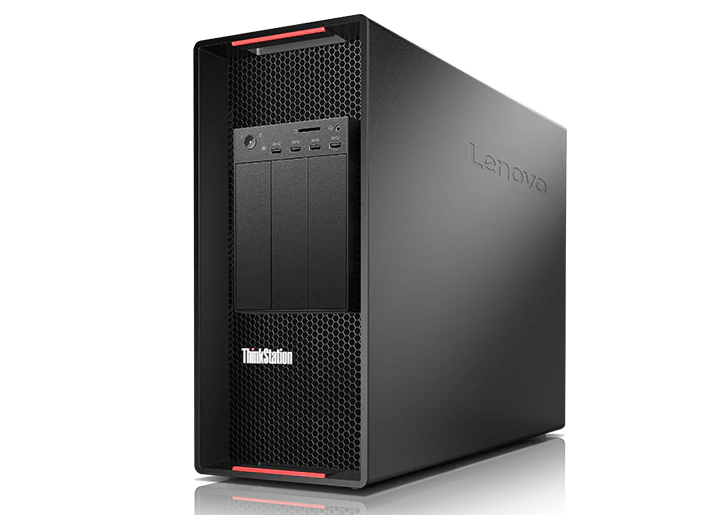
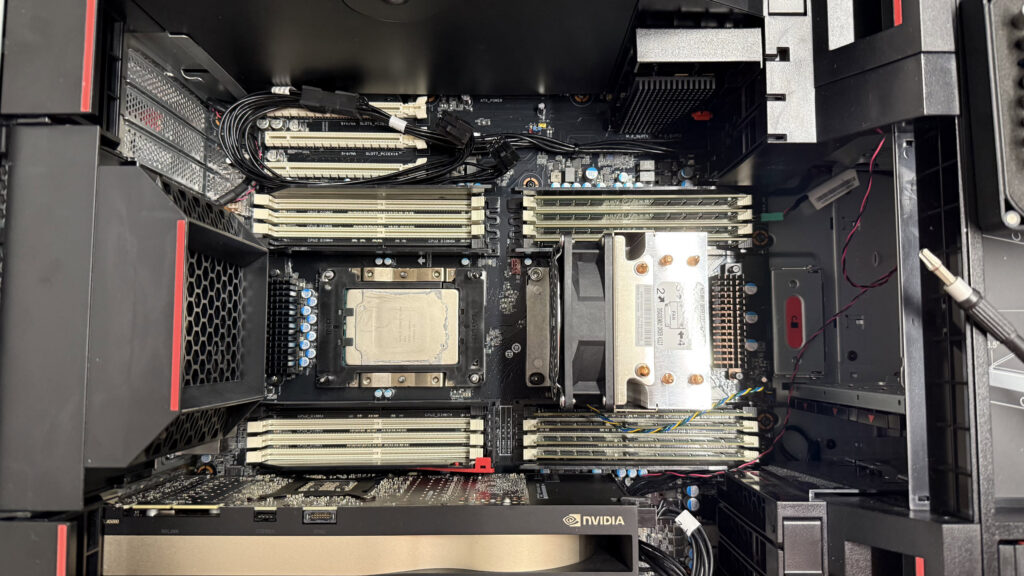
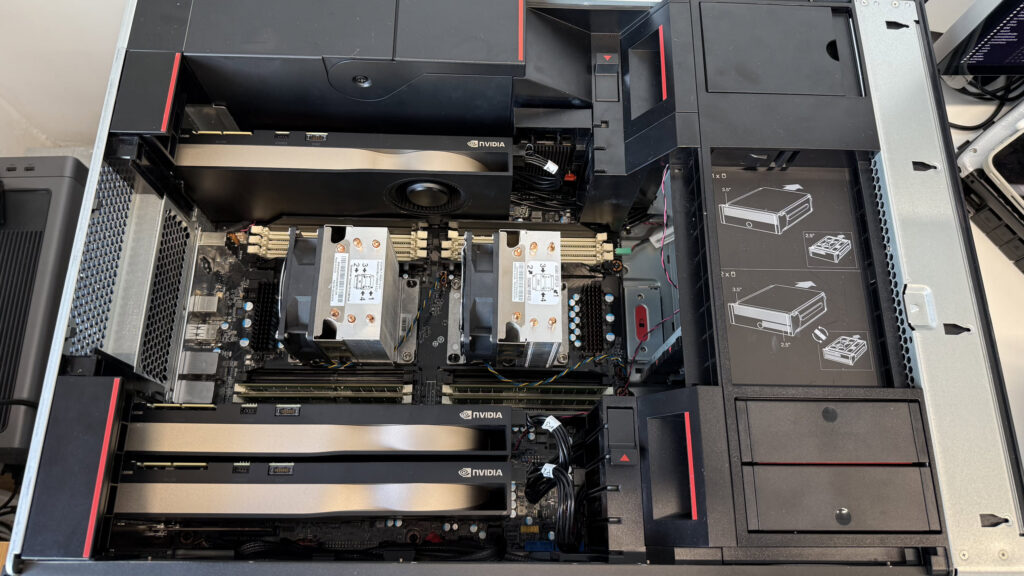
I added 3x Nvidia RTX A5500 GPUs to this machine directly/internally and another via Thunderbolt for a total of 96 GBs of high speed VRAM and 512 GBs of slower DDR4 system RAM. These Nvidia GPUs have a VRAM bandwidth of 0.768 TB/sec, which produces around 42 tokens/sec with gpt-oss:120b. They can handily also be used for other tasks, like game streaming and image recognition in Immich.
To be continued.