Building a personal public transit router for London
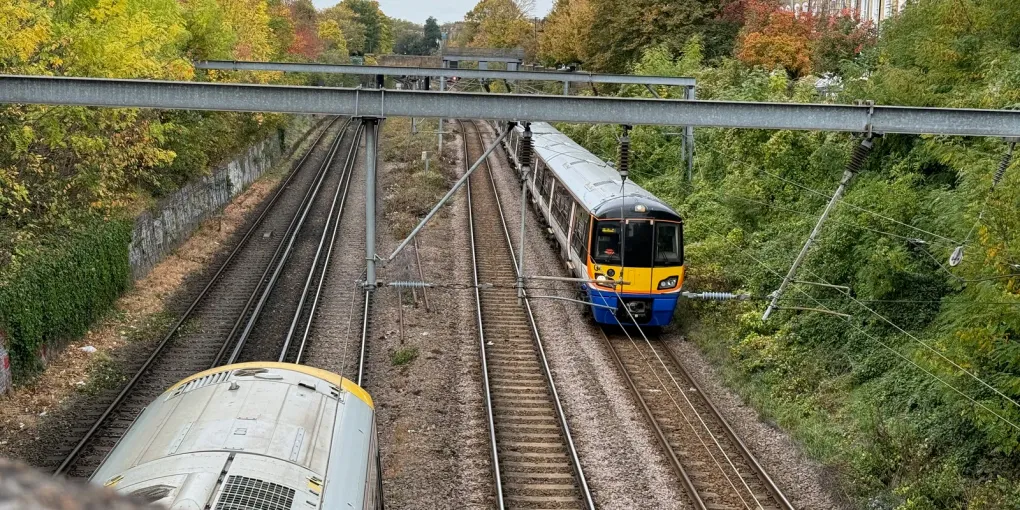
I was recently on my way to “The Docks” for rowing practice when I started wondering about the route I was taking, and had taken many times before.
Google Maps, my goto for navigation, generally always gives the same routing directions, except when there’s a specific issue on the DLR - then it tends to suggest the Lizzie line.
Maps, like every routing software, makes a bunch of assumptions about what the user wants - and it strongly preferences not changing trains. This is fine for a lot of people, in fact I suspect most people want the minimum number of stops, even if it costs them an extra 10 minutes on a 60 minute journey. If I’m travelling on my own, I quite enjoy seeing how quickly I can get from A to B and as such I really don’t mind changing trains and/or climbing some stairs.
But it’s more than just switching trains faster… I was wondering how I’d answer my query. I knew TFL had APIs for their data - the geeks love their passenger information (DMI) displays, I find them fun too, not sure where I’d put one.
We live in the age of Claude, so, I took out my phone and began describing what I was after to a remote Claude session running on a development machine I routinely use. It suggested the first step to answering my query: collect data.
At my behest it configured a bog-standard postgres database and bolted it on to my home Docker Swarm stack. It then set about creating a “flow” inside Flowbun. Flowbun is my personal NodeRED-like app which hosts my (largely) home automation logic as Typescript, but it’s also a great choice for other general-purpose experiments, and if I want to extract the code out to a dedication application, it’s easy to do so. It also makes long term monitoring easy through Home Assistant notifications to my phone.
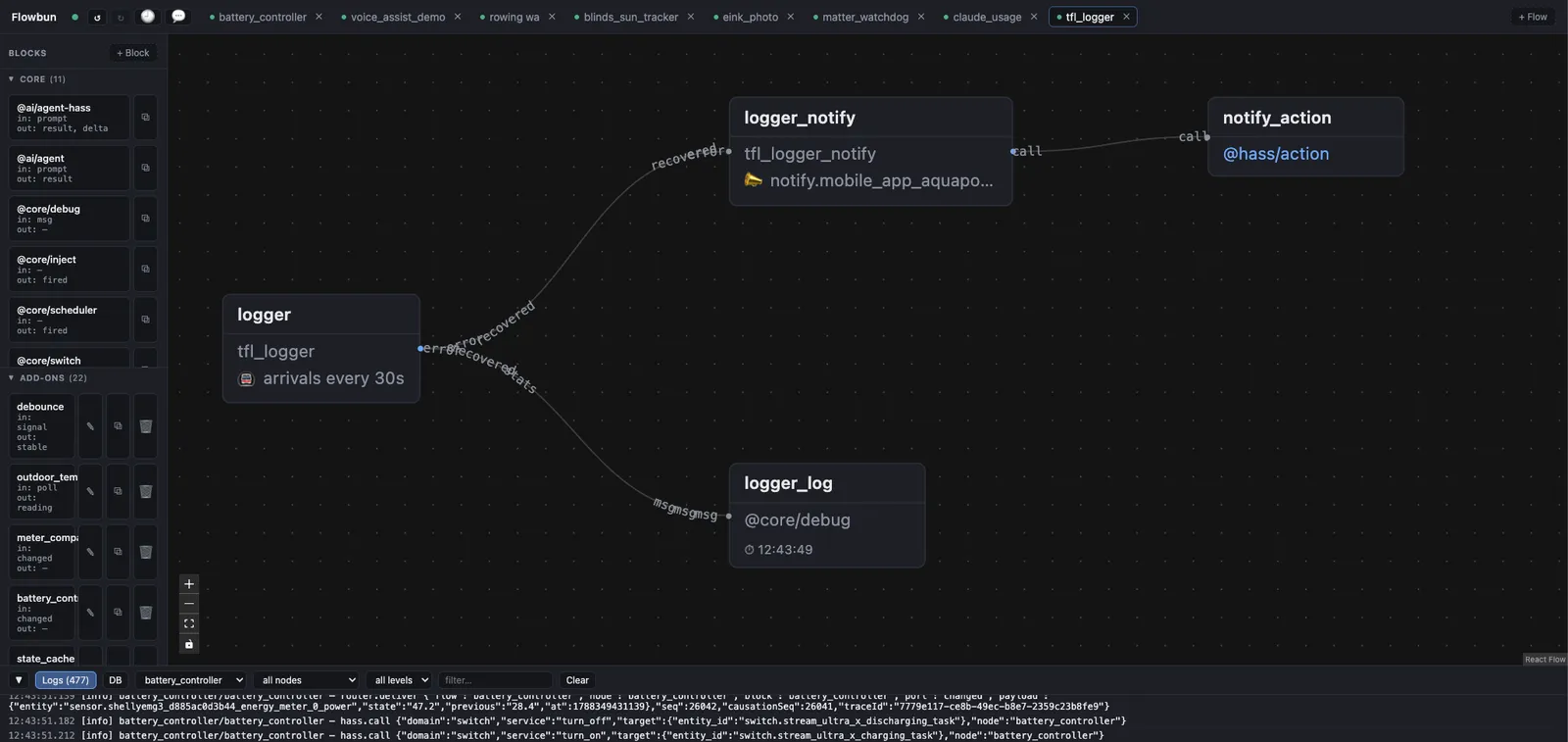
This work all happened while I was on the water. I’ve found Claude’s auto-mode classifier system to be highly effective… but have backups 😅

Later that day I started thinking about if I could re-use the data I was collecting to build a “better” routing app for my own use. Fix the things that Google Maps gets “wrong” for me. What if we could use the data we were collecting to build models that could provide offline routing on mobile devices with weights encoded as to the reliability and timing of trains on those lines?
Well, as it turns out, all that was feasible, and more.
Introducing LDN Router - a progressive web application (aka PWA) which is built to run offline. It is built for my use, but it may be useful to others. It is shameless vibe-coded, but I like to think I’m in the mix. Once added to a user’s home screen the app allows the user to download a series of “tiles”, which are effectively models that record the relative timing and reliability of various lines. These tiles radially fan out from London. The app can download them on demand or eagerly at the user’s request.
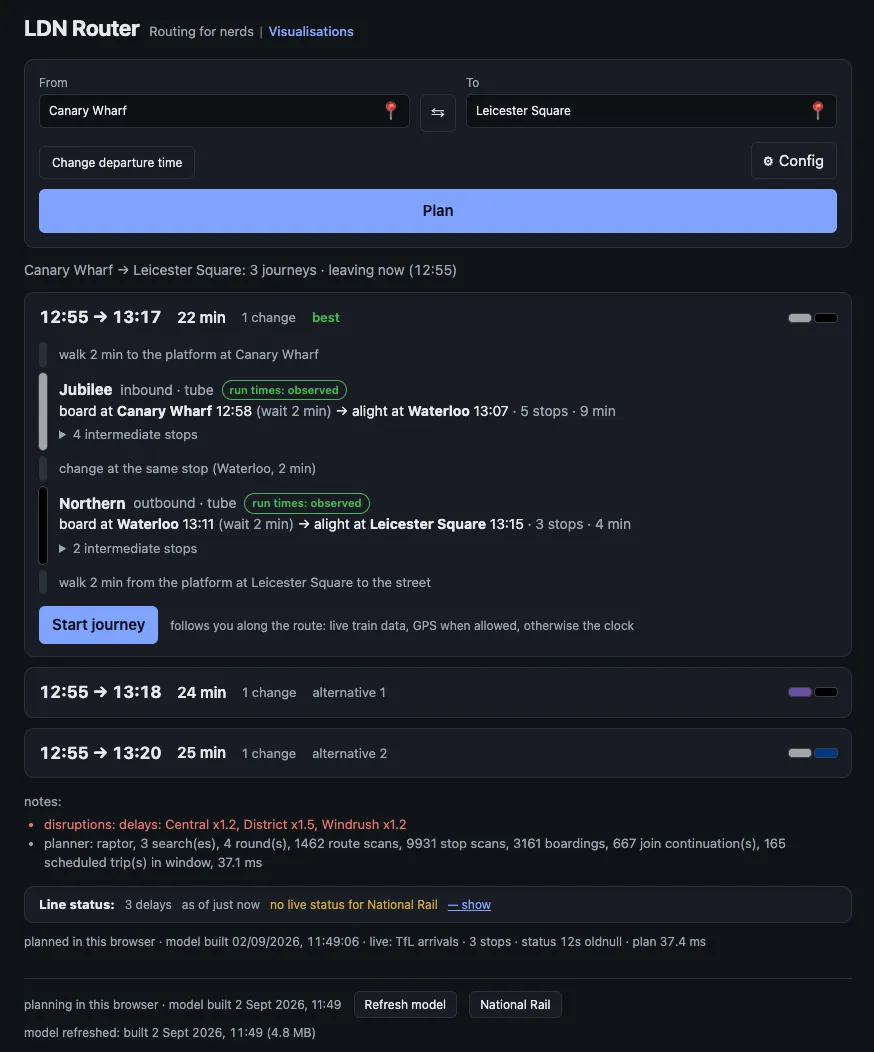
Once downloaded, the app allows the user to do offline routing. If the app it online it will also use public TFL APIs to load line closures and living timing data, which further improves the accuracy of the live recommendations.
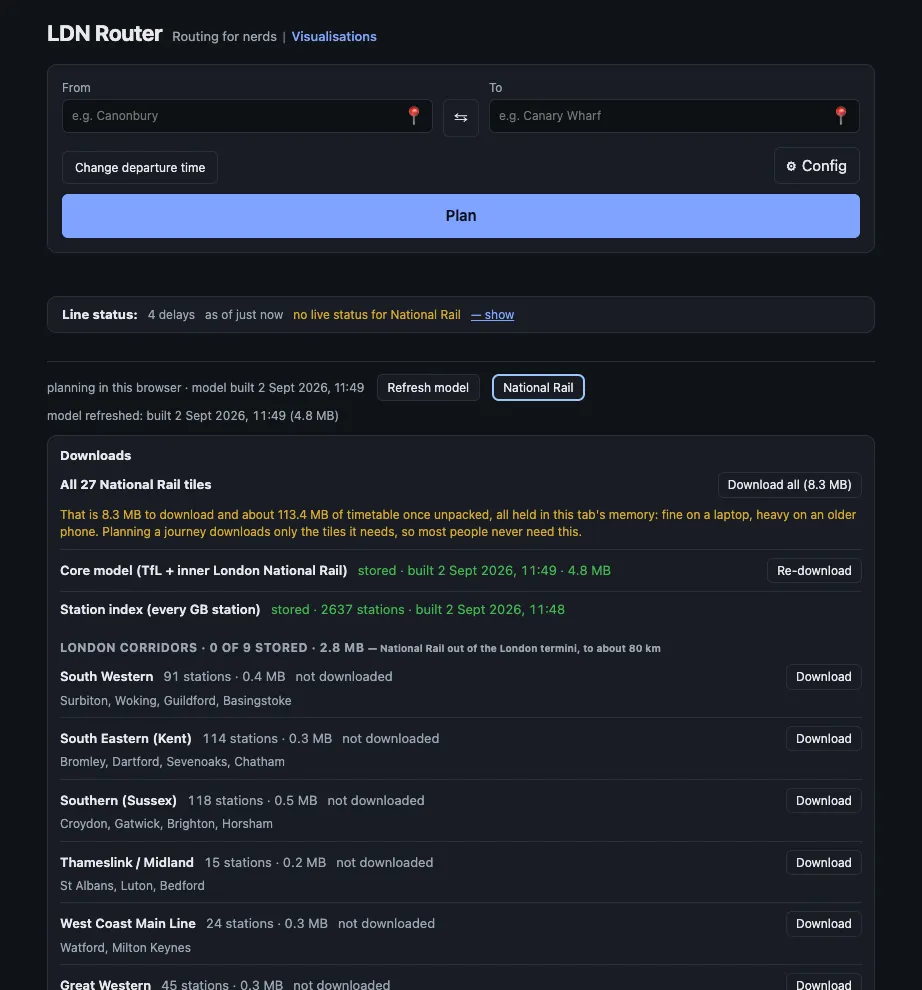
This is a vibe-coded app and it’s super alpha, but I know I’ll be dog-fooding it. I’ve already found its routing to be useful.
Despite it’s name, this app does actually support GB-wide routing. This took a few iterations, testing different path finding algorithms (Dijkstra vs RAPTOR), collecting a lot of National Rail history, improving the fan-out tile model set, etc. I haven’t dog-fooded this, but it seemed like an easy-ish addition.
Through this process I’ve also discovered why certain stations misbehave really severely on Google Maps. Some of these stations have phantom trains (that appear and disappear) and trains being reporting going in the wrong direction or without a platform. We can manually fix a lot of these issues, something Google doesn’t have the will to do.
Additionally, LDN Router supports fine tuning a lot of transport options via the Config button. Things like penalties for changes, which I particularly care about. All this is built for experimentation, for geeks. If that’s you then feel free to check it out. Feedback is welcome, although I need to figure out how I can get it without spam 🤪
And the cherry on the cake: a quick visualisation series of the data I currently have (which, to be fair, is minimal currently, only a few days).
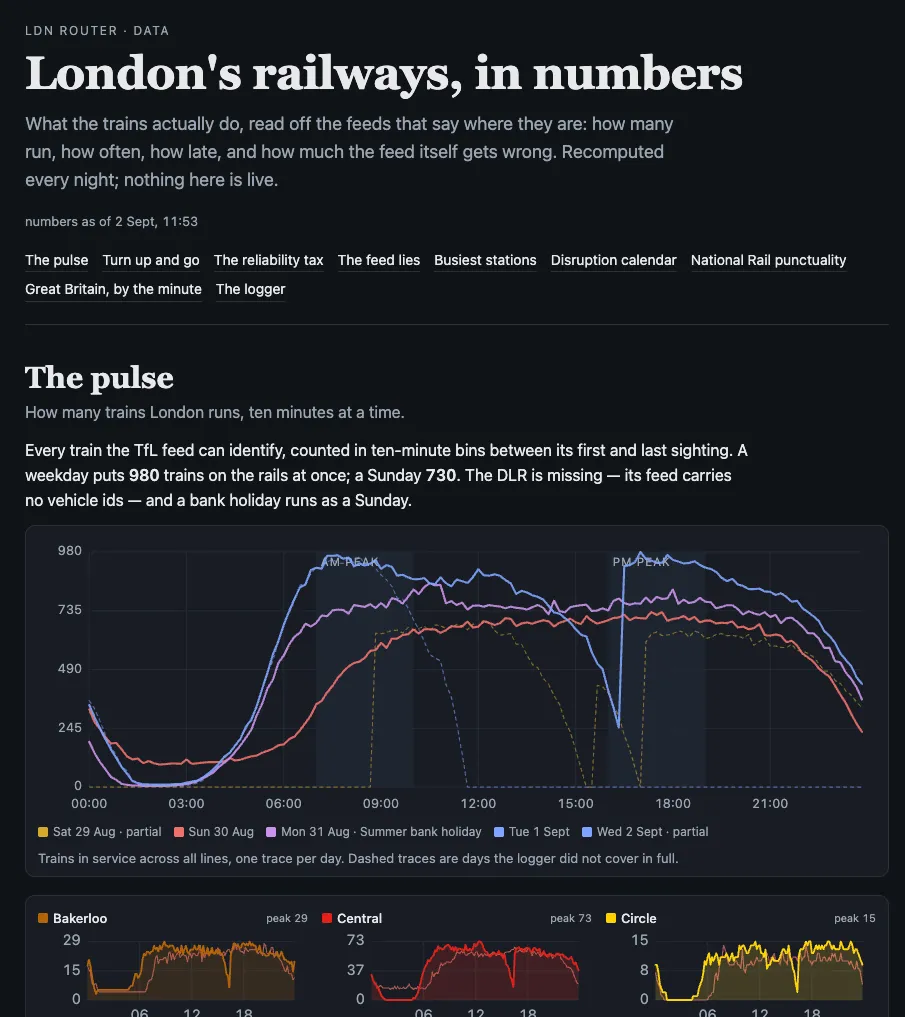
Who doesn’t love pretty graphs, right?